TV · Local channels
Wrong local channels on Starlink? Why it happens and what fixes it
You live in rural Ohio and your live-TV app shows the evening news from Denver. Here’s why that happens on satellite internet, how each service decides your market, and the antenna route that ignores the problem.
Starlink carries no TV channels, so your locals come from a live-TV app or an antenna. When an app shows another city’s stations, the likely cause is location: Starlink says its IP geolocation can be several states away from where you live.
Each service decides your market its own way: home ZIP, phone location, home network or billing address. Those are the levers that fix it, plus a call to the service. If nothing sticks, an antenna gets your own stations with no internet involved.
Who decides your local marketChecked Nov 3, 2026
- Starlink IP location
- Can be states off Starlink’s help center, in its own words below
- YouTube TV
- Home ZIP + device Claims complete local network coverage in over 98% of US TV households
- Hulu + Live TV
- Physical location Regional sports follow your Home location
- Fubo
- GPS / IP address GPS on phones, IP address on TVs and computers
- DIRECTV streaming
- Billing area Device may need to be in your billing area
- Over-the-air antenna
- No internet NEXTGEN TV stations reach over 75% of US viewing households
Rules as written on each service’s help pages, read Nov 3, 2026. None of them mentions Starlink.
Why Starlink can put you in the wrong city
Apps on a TV or streaming stick can’t see your house. They see the internet address your traffic comes from and look it up in location databases. On cable or fiber, that address usually maps to a nearby town. On Starlink, traffic climbs to a satellite, lands at a Starlink ground station and leaves through Starlink’s network, so the address the world sees can sit somewhere else. Starlink admits as much. In a support article we checked on Nov 3, 2026, it says the IP location it hands out can currently be several states from your real address, and that it is working to bring it closer.
Its troubleshooting FAQ ties this straight to streaming: when a show won’t play or says “not in your region”, Starlink’s first suspect is that location mismatch, and it suggests checking your IP location before anything else.
Our reading, putting Starlink’s words next to the services’ own rules: on Starlink, live-TV apps that set local channels from your IP address may show another market's locals. No streaming service we read names Starlink. But apps that lean on the connection’s location are exposed to exactly the gap Starlink describes.
Why does this bite TV harder than Netflix? Local stations and regional sports channels are licensed market by market, so a live-TV service must decide your market before it shows anything local. Starlink doesn’t publish which ground station or address serves a given home, so a lineup that’s right this month could also change later.
How each live-TV service picks your market
The services don’t all work the same way, and the fix depends on which signal each one trusts.
| Service | How it sets your market | What to try | Starlink risk (our reading) |
|---|---|---|---|
| YouTube TV | YouTube TV sets channels by home ZIP and may verify location with device location permissions | Check the home area in settings; allow location on your phone when asked; contact YouTube TV | Lower a phone can confirm where you are |
| Hulu + Live TV | local affiliates follow your physical location; regional sports follow your Home location; the Home network must be residential and non-mobile | Set the Home network from your home Wi-Fi; allow location on the phone app; contact Hulu | Medium how Hulu reads “physical location” on a TV isn’t stated |
| Fubo | Fubo finds your local channels by GPS on phones and by IP address on TVs and computers | Use the phone app with location on to see your market; contact Fubo about the TV app | Higher TVs go by IP address |
| DIRECTV streaming | local channels vary by where you live; device may need to be in your billing area | Make sure the billing address is the house; contact DIRECTV | Medium depends on how it checks the area |
| Sling | Sling's local channels (ABC, FOX, NBC) are only in select markets | Check Sling’s channel lineup for your ZIP before you subscribe; contact Sling | Unclear the page we read doesn’t say how Sling locates you |
| Philo | “Philo doesn’t currently carry local channels, but we’re always working to expand our lineup.” | Pair it with an antenna for locals | None nothing local to get wrong |
YouTube TV
YouTube TV’s help page: “What you can watch and record on YouTube TV is based on your home area. When you sign up for YouTube TV, we'll ask you to share your home zip code. We may also ask you to verify your area via your device location permissions.” That second sentence helps on Starlink: a phone’s location comes from GPS, not from Starlink’s address, so let the phone app verify your area. YouTube TV limits how often you can change your home area, so set it once, carefully.
Hulu + Live TV
Hulu’s Home network has its own rule: “You’ll need to use a residential, non-mobile internet connection when you set your Home network. Please note that mobile hotspots and shared Wi-Fi networks (like a dorm, office building, etc.) do not meet this criteria, and therefore can’t be used as your Home network.” Residential Starlink is a home connection, but Hulu doesn’t mention Starlink or satellite internet, so we can’t say how its checks treat it. Set the Home network on a living-room device connected to your Starlink Wi-Fi; Hulu limits how often you can change it.
Fubo
Fubo is the most direct about it: “Depending on the device you’re using, your location is detected in one of two ways: GPS (mobile devices) IP Address (TVs, computers)” So the phone app should find your real market from GPS, while the TV app depends on the IP address Starlink gives you. If the two disagree, that’s worth showing Fubo’s support team.
Fix it in this order
Nothing here hides your location. Each step gives the service your real location or asks it to correct its records. If none of it works, the antenna below sidesteps the problem.
Step 1: Write down what’s wrong
Note which city the local news in the guide comes from. That’s the market the app has placed you in, and support will ask.
Step 2: Check the address the service has on file
YouTube TV goes by your home ZIP. Hulu + Live TV has a Home network. DIRECTV says your device may need to be in your billing area to watch certain programming. Make sure each one matches the house where the dish is.
Step 3: Let the phone app see your real location
When an app asks for location permission, allow it on your phone. YouTube TV says it may verify your area that way, and Fubo uses GPS on phones.
Step 4: Look at what Starlink is reporting
Starlink’s own troubleshooting FAQ says a “not in your region” error is likely an IP geolocation mismatch and to check your IP location first. If it shows a city far from home, tell Starlink support from the app.
Step 5: Contact the TV service
Say you have fixed home internet at one address and the app shows another market, and ask how they verify location. Only the service can change your market.
The antenna route: your own stations, no internet
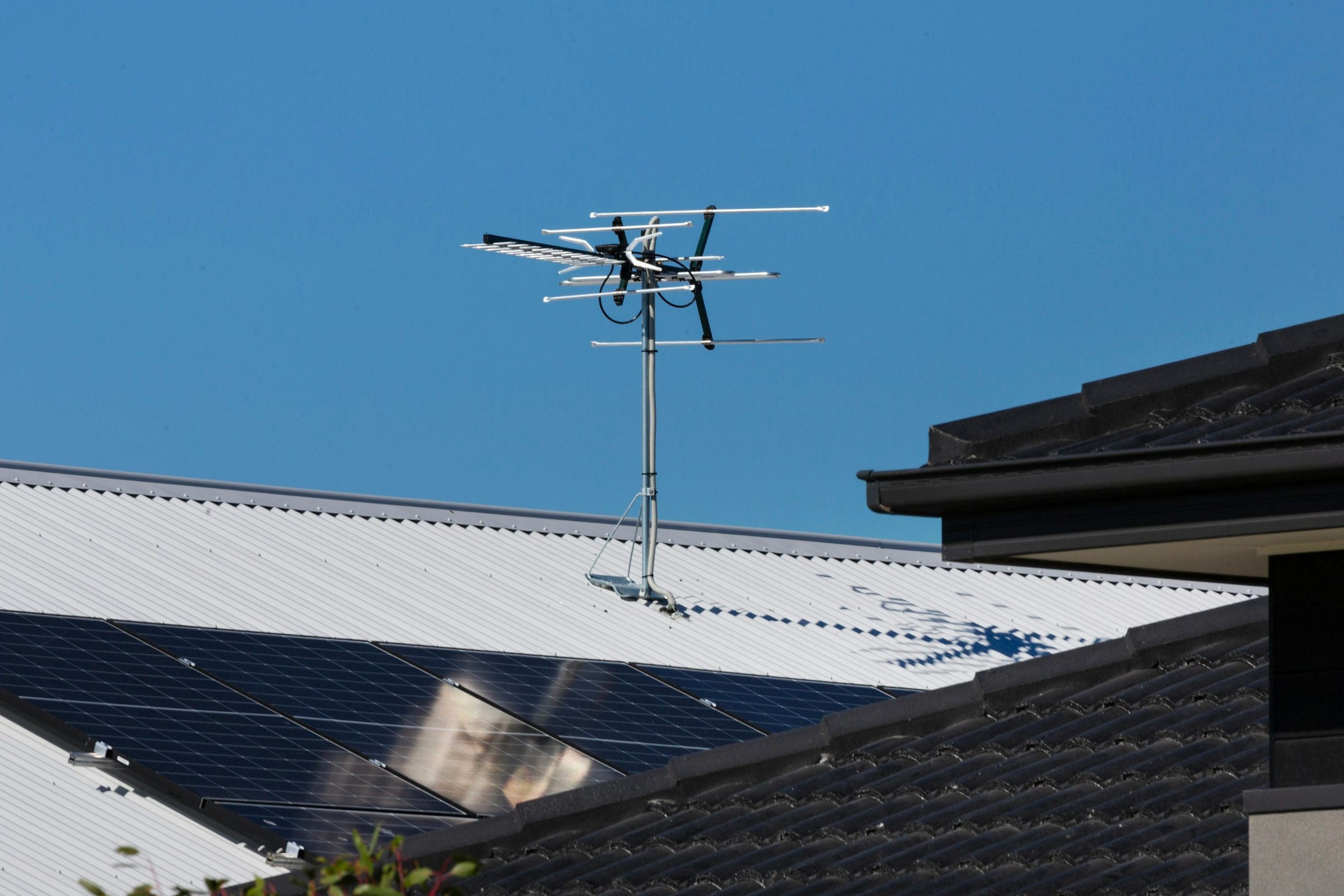
An antenna is the one route the wrong-city problem can’t touch. Local stations broadcast from towers near you, and in NEXTGEN TV’s words, “Free over-the-air TV does not require an internet connection.” That also means the news and the big game keep coming in during a Starlink outage or a snowstorm dropout.
- Check your towers first. The FCC’s DTV reception maps on fcc.gov show which stations should reach an address, and how strong. We couldn’t load fcc.gov from our network when we checked on Nov 3, 2026, so we can’t walk you through the current screens; search fcc.gov for “DTV reception maps”.
- Line of sight matters more than the box. AntennaWeb, run by the Consumer Technology Association, says: “Optimum television reception relies on a clear, unobstructed line of sight between the antenna and the local towers.” In a West Virginia hollow or behind a Vermont ridge, a roof or mast antenna often beats an indoor one; on the open plains, an attic antenna may do.
- NEXTGEN TV is the newer broadcast standard (ATSC 3.0). “NEXTGEN TV is a free, over-the-air service available to viewers with an antenna in most major markets.” NEXTGEN TV stations reach over 75% of US viewing households. The catch: it needs a TV (or receiver) with NEXTGEN built in plus an antenna, not an app. Older TVs still get the regular broadcast signal.
A common rural setup: an antenna for locals, and a cheaper streaming service for cable channels. Philo Essential is $25/mo (as listed on Nov 3, 2026) and carries no locals; Sling Orange is $45.99/mo (as listed on Nov 3, 2026), with locals only in select markets. The TV bill calculator adds that up against what you pay now.
An antenna and a Starlink dish on one roof
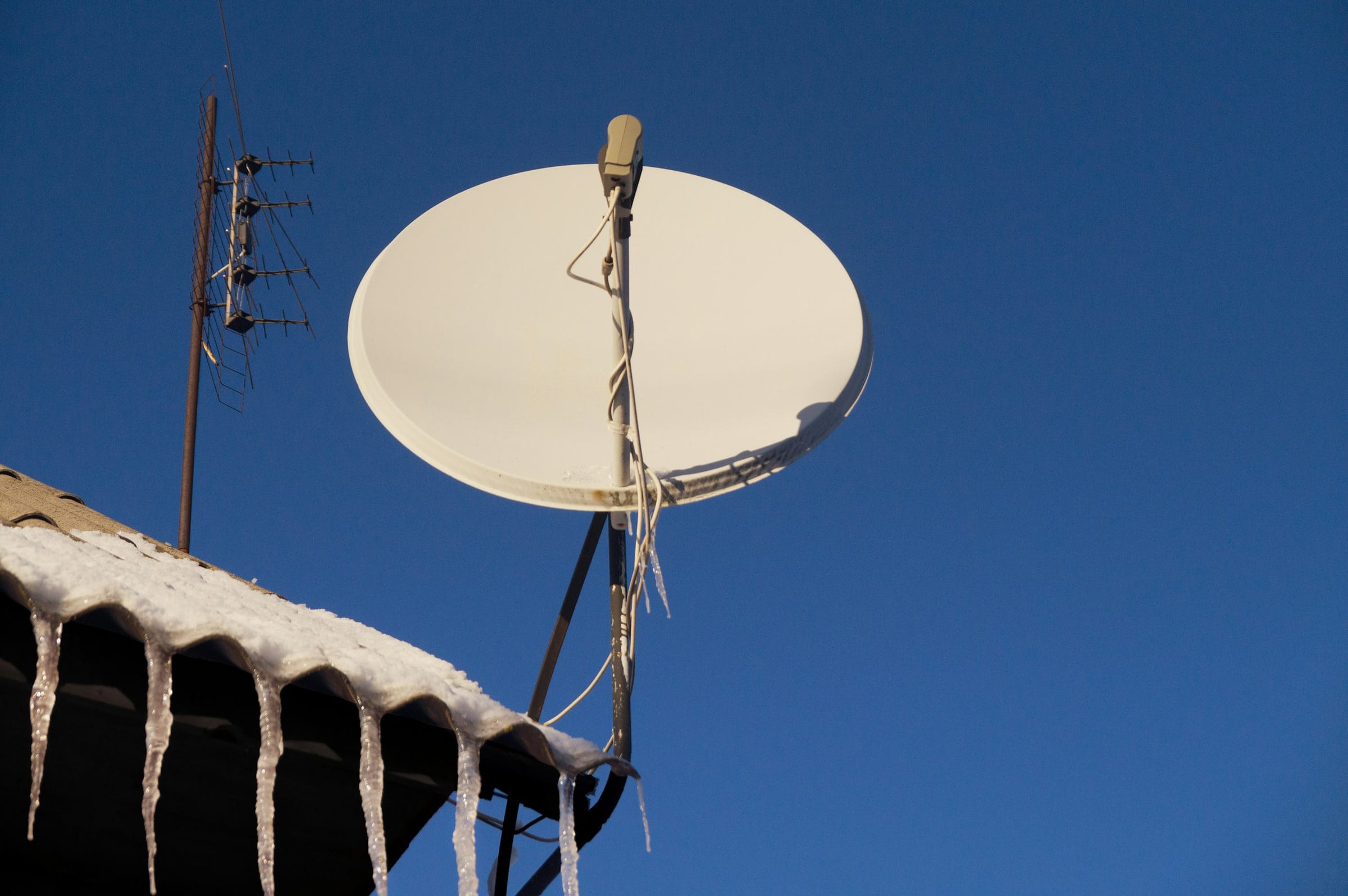
Starlink doesn’t publish any guidance about TV antennas that we could find in its US help center. What it does say is that a branch, a pole or a roof edge in the dish’s view can interrupt service, and that a tree or roofline that stays in the dish’s view can still cause on-and-off outages, lost packets and slower speeds. An antenna mast is a pole. Our reading: mount the Starlink dish where the antenna isn’t in its view of the sky, and run the antenna’s coax separately from the dish cable.
If you’re keeping a DISH satellite dish too, DISH is the only TV company we found with a placement rule: “Note: Place your Starlink dish at least 10-20ft from your DISH tv antenna.” That’s DISH’s guidance, not Starlink’s. Our DISH page covers whether to keep that dish at all.
What we can’t promise
No streaming service says Starlink is treated differently, and none promises a fix. Starlink says it is working on closer geolocation but gives no date. A service can still place you in the wrong market after every step above. Antenna reception depends on your towers and terrain, and NEXTGEN TV needs a compatible TV or receiver. If your own locals matter most, plan the antenna before you count on an app.
Sit this one out if…
- local news is why you watch TV, no antenna can reach your towers, and your service reads location from the connection: ask it how it verifies location first
- you already get your locals and your internet over cable or fiber: switching the connection gains you little for TV
- your home team’s regional sports channel is a must-have: those follow your location too (see live sports)
- you’d keep it only if every local channel comes out right on day one: check your antenna options and the service’s home-area rules, and decide before ordering, since Starlink’s referral terms expect customers who mean to keep it
What gamers and cord-cutters ask
Does Starlink have local channels?
No. Starlink sells internet only, and its US support pages describe no TV service or bundle. Your local ABC, CBS, FOX, NBC and PBS stations come from a live-TV streaming service that carries your market, or from an antenna.
Why does YouTube TV show the wrong local channels on Starlink?
YouTube TV sets channels by your home ZIP and may verify your area through your device’s location. Starlink says its geolocation can be several states off, so a check that leans on the connection can land in the wrong market. Check your home area, allow location on your phone when asked, and contact YouTube TV if it still won’t match.
Why does my Roku or smart TV think I moved to another city?
Streaming boxes and TVs have no GPS, so apps on them go by your connection’s location; Fubo, for one, says it uses the IP address on TVs and computers. Starlink says its IP geolocation may be several states off.
How do I get local channels on Hulu + Live TV with Starlink?
Hulu says local affiliates follow your physical location, and your Home network must be a residential, non-mobile connection. Set the Home network from a device on your home Wi-Fi, allow location on the phone app, and contact Hulu if the locals are still wrong.
Can I use a TV antenna with Starlink?
Yes. Over-the-air TV needs no internet connection, so it keeps working during a Starlink outage. Check which towers reach your address with the FCC’s DTV reception maps on fcc.gov, and keep the antenna out of the Starlink dish’s view of the sky.
Does Starlink interfere with an over-the-air TV antenna?
Starlink doesn’t publish anything about TV antennas that we could find. It does say a pole or roof in the dish’s view can interrupt service, so keep the mast out of the dish’s sky view. The only placement rule we found from a TV company is DISH’s, for its satellite dish: “Note: Place your Starlink dish at least 10-20ft from your DISH tv antenna.”
Receipts for the numbers above
- Starlink help-center search (US) (looked up Nov 3, 2026)
- Starlink support: wrong IP location (looked up Nov 3, 2026)
- Starlink support: streaming troubleshooting (looked up Nov 3, 2026)
- YouTube TV Help: home area (looked up Nov 3, 2026)
- YouTube TV: plans page (looked up Nov 3, 2026)
- Hulu Help: Live TV availability (looked up Nov 3, 2026)
- Hulu Help: Live TV home network (looked up Nov 3, 2026)
- Fubo Help: wrong locals (looked up Nov 3, 2026)
- DIRECTV: satellite offer terms (looked up Nov 3, 2026)
- Sling TV: plans (looked up Nov 3, 2026)
- Philo Help: local channels (looked up Nov 3, 2026)
- Philo: home page and FAQ (looked up Nov 3, 2026)
- NEXTGEN TV: home page (looked up Nov 3, 2026)
- NEXTGEN TV: FAQ (looked up Nov 3, 2026)
- AntennaWeb: antenna lookup (looked up Nov 3, 2026)
- Starlink support: checking the sky before install (looked up Nov 3, 2026)
- Starlink support: what obstructions do (looked up Nov 3, 2026)
- DISH: Starlink sold through DISH (looked up Nov 3, 2026)
Every figure keeps the date we last looked it up; our fact rules say how. When one turns out wrong or stale, the fix is dated on the corrections page.