TV · Starlink vs DISH
Starlink and DISH: keep the satellite TV, stream instead, or buy through DISH?
DISH is TV. Starlink is internet. DISH also sells Starlink. Here are the three real choices, with DISH’s own prices and terms.
DISH and Starlink aren’t rivals for the same job. The real choice has three branches: keep DISH TV and add Starlink internet, cancel DISH and stream TV over Starlink, or buy Starlink through DISH, which resells it.
Whichever you pick, TV and internet stay separate bills. DISH’s Starlink page says: “At this time we do not offer a Starlink bundle for DISH or Boost Mobile.” If you’d keep Starlink either way, the decision comes down to DISH’s bill against a streaming service’s bill.
DISH next to streamingAs listed Nov 3, 2026
- DISH America’s Top 120 · first term
- $94.99/mo price locked for 2 years
- DISH America’s Top 120 · after the term
- $107.99/mo DISH’s current then-market price
- DISH early termination fee
- $20 for each month left on the commitment
- YouTube TV · main plan
- $82.99/mo
- Sling Blue
- $45.99/mo plus state and local taxes
- Philo Essential
- $25/mo no local channels
- Starlink Residential 100 Mbps
- $49.50/mo national order list, no address; select areas only; other levels since Oct 29, 2026: $44–$55/mo
- Starlink Residential Max
- $143/mo national order list, no address; other levels since Oct 29, 2026: $104–$156/mo
TV prices as listed on Nov 3, 2026 for the plan named, per month. DISH: 1 TV, Hopper 3 DVR, local channels; needs credit qualification and eAutoPay; taxes, surcharges and add-ons are outside the locked price. Starlink: the no-address national list, pulled Nov 3, 2026; a real address can land on another level, and Starlink never says which.
The three choices side by side
| 1 · Keep DISH + Starlink | 2 · Drop DISH, stream | 3 · Starlink through DISH | |
|---|---|---|---|
| TV bill | America’s Top 120 $94.99/mo, then $107.99/mo | A streaming service, e.g. YouTube TV $82.99/mo or Philo $25/mo | Separate: DISH has no TV + Starlink bundle |
| Internet bill | Starlink; your address sets the price | Starlink; your address sets the price | DISH’s quote (we didn’t verify it) |
| Commitment | DISH: 2 years, $20 fee per month left | Monthly plans; Philo, for one, says no contract | Ask DISH before you order |
| Local channels | Included in America’s Top 120 | From the streaming service (by location) or an antenna | Same as 1 or 2, depending on the TV you keep |
| Dishes on the house | Two | One (the DISH dish can come down) | One or two |
| If the kit goes back | Bought on starlink.com: back to Starlink, under its own policy | Goes back to DISH, the seller | |
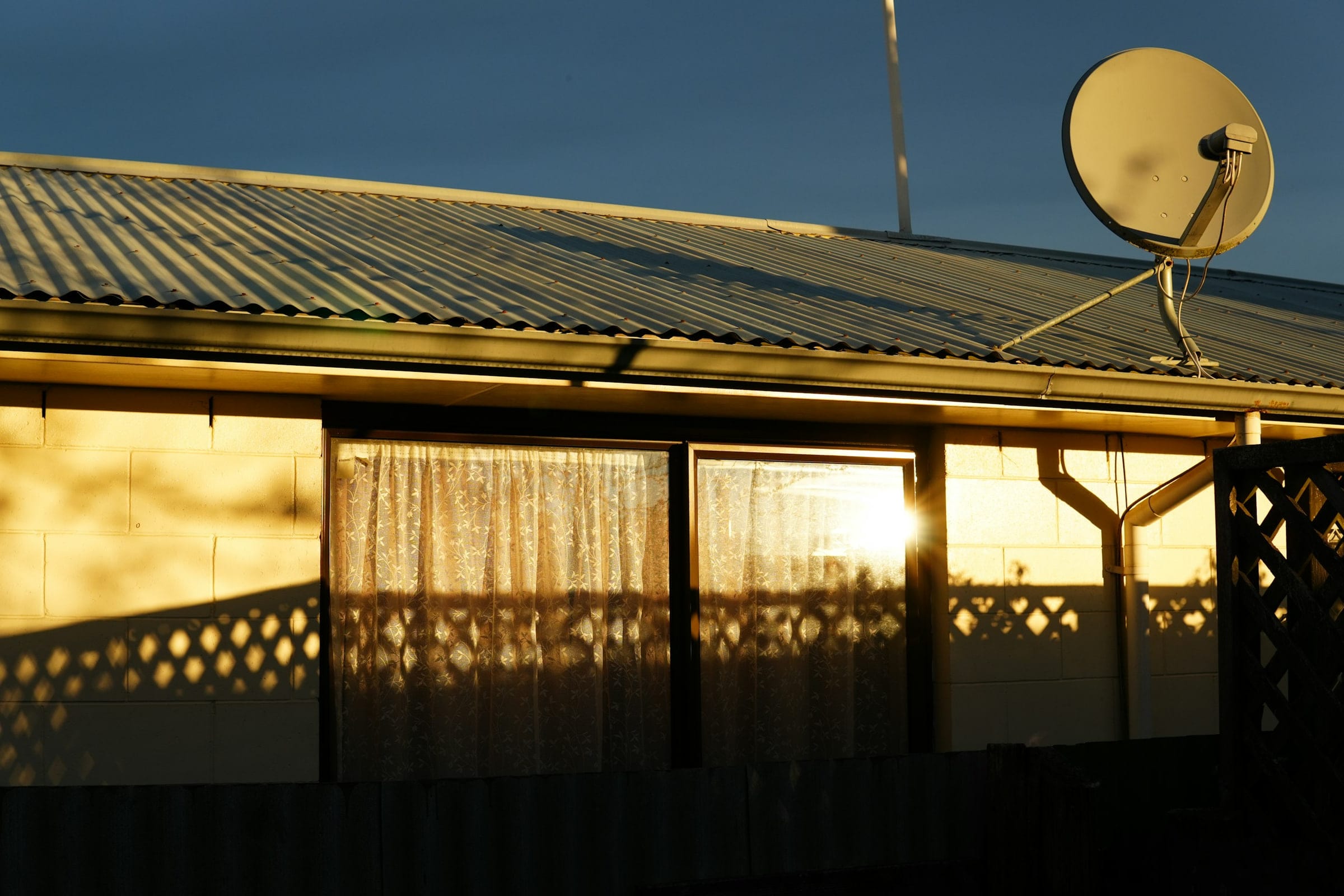
Choice 1: keep DISH TV and add Starlink internet
The least disruptive route. Your channels, Hopper DVR and remote stay the same; Starlink replaces the DSL line or old satellite internet. DISH’s live channels come down through DISH’s own dish, so a Starlink dropout in a storm doesn’t interrupt them.
It fits if you’re early in DISH’s commitment, rely on locals and sports DISH already carries, or someone at home doesn’t want new apps. The cost is carrying both bills. As listed on Nov 3, 2026, America’s Top 120 is $94.99/mo with the price locked for 2 years (1 TV, Hopper 3 DVR, local channels). After 2 years DISH America's Top 120 goes to the then-market price, currently $107.99 a month. Extra TVs cost more each month, and DISH says taxes, surcharges and add-ons sit outside the locked price.
Choice 2: cancel DISH and stream TV over Starlink
If you’d have Starlink anyway, the money question is only DISH’s bill against a streaming service’s bill. Our arithmetic at today’s listed prices, over DISH’s 2 years: America’s Top 120 comes to $2,279.76, and YouTube TV’s main plan to $1,991.76, a gap of $288 before taxes. YouTube TV can change its price in that time, and DISH’s locked price doesn’t cover add-ons, so treat that as a rough guide.
The other money question is how much of DISH’s commitment you have left. DISH’s fee is $20 for each remaining month.
| Months left on DISH | Early termination fee |
|---|---|
| 6 | $120 |
| 12 | $240 |
| 18 | $360 |
| 23 | $460 |
Because the fee is per month left, the comparison works the same at any point. Our arithmetic: for each month left, leaving costs $20 in fees plus $82.99 for YouTube TV, or $102.99, against $94.99 to stay on America’s Top 120. Staying comes out $8 a month ahead until the commitment ends, before taxes. Once the commitment ends, DISH steps up to $107.99/mo and the gap widens.
What you give up: DISH’s set lineup and DVR box, and channels that don’t need the internet. What you get: no commitment on most streaming plans, apps on every TV, and one dish on the house. Local channels are the part to check first. Streaming services pick your locals from your ZIP, your device or your IP address, and Starlink says its IP geolocation can be several states from your home. Our reading: an app that goes by IP can show the wrong market. An antenna solves that for broadcast stations and needs no internet. The live TV services comparison and the local channels guide cover both.
Choice 3: buy Starlink through DISH
DISH sells and installs Starlink but does not offer a DISH TV + Starlink bundle. Ordering through DISH can make sense if you already work with a local DISH installer you trust, or if you’d rather have one company to call. It doesn’t get you a TV discount, because there’s no bundle.
Two things change when the seller isn’t Starlink. First, returns: Starlink says kits bought from a retailer or reseller go back to that seller, so a kit from DISH goes back to DISH, not to Starlink. Ask DISH for its installation, support and return terms in writing; we didn’t verify them.
Second, stated plainly because this site earns a referral reward: Starlink’s referral terms require the kit and subscription to come straight from starlink.com; any other route, stores and resellers included, earns no reward. Starlink bought through DISH doesn’t earn it, for you or for us. That shouldn’t decide it: pick the seller whose terms suit you.
Two dishes on one roof
Keeping DISH TV (choice 1, or choice 3 with DISH TV) means a TV dish and a Starlink dish on the same house. They look at different parts of the sky. DISH says its TV dish needs open sky to work well, and that branches, debris or snow can block it. Starlink says it does best with open sky over the dish, though a partly blocked view often still works.
- DISH’s rule: “Place your Starlink dish at least 10-20ft from your DISH tv antenna.” That’s DISH’s guidance, not Starlink’s.
- Starlink’s side: Starlink doesn’t publish spacing guidance for a nearby TV dish; we searched its US help center on Nov 3, 2026. Its obstruction map shows the geostationary belt as a clear band, and Starlink doesn’t transmit through that band, so it stays clear of the geostationary satellites TV dishes point at.
- Our reading: from the US, the equator lies to the south, so the empty geostationary band Starlink describes falls in the southern part of the sky; Starlink itself does not name a direction. That doesn’t mean things to the south can’t block Starlink. Mount each dish where the other isn’t in its view.
On a ranch house in the rural Midwest, that might mean the TV dish on the south eave and Starlink on the ridge or a pole mount. Our satellite-to-sofa explainer shows how the two systems differ.
What to weigh before changing anything
- Streaming depends on the Starlink dish. Starlink says rain, snow or hail at the heavier end can interrupt service for a moment. DISH’s live channels don’t use the internet, though DISH says branches, debris or snow can block its own signal.
- Evenings are busier. Residential Max outranks the 100 and 200 Mbps Residential tiers, so homes on those two are likelier to slow down on a congested network.
- Locals on streaming can be wrong. Starlink’s IP geolocation can be several states off; an antenna is the fallback.
- DISH’s price steps up after the term. America’s Top 120 goes to $107.99/mo at today’s then-market price.
- DISH-sold Starlink terms aren’t in our fact check. Get them from DISH directly.
Sit this one out if…
- you’re early in DISH’s commitment: the early termination fee is $20 for every month left, so a year left costs $240
- your DISH package carries a regional sports channel you can’t find on a streaming service at your ZIP
- you’d order Starlink only because a DISH rep offered it: DISH sells Starlink but has no TV bundle, so compare it with ordering directly
- you’re still unsure streaming can replace DISH in your home: check your sky, your locals and your teams before ordering, because Starlink’s referral terms expect customers who mean to keep it
- you have cable or fiber internet at your address: stream over that and skip the second dish
What gamers and cord-cutters ask
What’s the difference between Starlink and DISH Network?
DISH is a satellite TV company: channels come down to its own dish from a satellite parked over the equator. Starlink is internet from low-orbit satellites. They don’t replace each other directly: Starlink can carry streaming TV that replaces DISH, and DISH also resells Starlink internet.
Can you have DISH TV and Starlink together?
Yes, the two can share a house. DISH’s own guidance is: “Place your Starlink dish at least 10-20ft from your DISH tv antenna.” Give each dish its own open patch of sky.
Can you get Starlink through DISH?
Yes. DISH sells and installs Starlink but does not offer a DISH TV + Starlink bundle. Starlink says kits bought from a retailer or reseller go back to that seller for returns, so ask DISH about its return and support terms before you order.
Does DISH bundle Starlink with its TV packages?
No, not when we checked on Nov 3, 2026. DISH’s Starlink page says: “At this time we do not offer a Starlink bundle for DISH or Boost Mobile.” Some older news headlines say otherwise; DISH’s own page is the one to trust.
Can you get DISH TV through Starlink?
Not as satellite TV. DISH’s channels come down through DISH’s dish, not over the internet. If you take the DISH dish down, you’d watch a live-TV streaming service over Starlink instead. See live TV services.
Will Starlink interfere with my DISH satellite?
Starlink says it does not send or receive through the geostationary belt where TV satellites sit, so it does not interfere with them. DISH’s only rule for its customers: keep the two dishes 10-20 ft apart.
Should I cancel DISH and switch to streaming over Starlink?
If a streaming service at your ZIP carries your locals and your teams, and your DISH commitment is nearly over, streaming usually costs less per month. If you’re early in the commitment, run the early termination fee first, using the table on this page.
Receipts for the numbers above
- DISH: Starlink sold through DISH (looked up Nov 3, 2026)
- DISH: TV packages (looked up Nov 3, 2026)
- DISH: signal loss help (looked up Nov 3, 2026)
- Starlink help-center search (US) (looked up Nov 3, 2026)
- Starlink support: reading the obstruction map (looked up Nov 3, 2026)
- Starlink support: checking the sky before install (looked up Nov 3, 2026)
- YouTube TV: plans page (looked up Nov 3, 2026)
- Sling TV: plans (looked up Nov 3, 2026)
- Philo: home page and FAQ (looked up Nov 3, 2026)
- Philo Help: local channels (looked up Nov 3, 2026)
- Starlink order data: US Residential plans (looked up Nov 3, 2026)
- Starlink support: Residential plans (looked up Nov 3, 2026)
- Starlink US Referral Program Terms (looked up Nov 3, 2026)
- Starlink support: returning a kit (looked up Nov 3, 2026)
- Starlink support: wrong IP location (looked up Nov 3, 2026)
- NEXTGEN TV: FAQ (looked up Nov 3, 2026)
- Starlink support: weather and service (looked up Nov 3, 2026)
- Starlink US service plan descriptions (looked up Nov 3, 2026)
Every figure keeps the date we last looked it up; our fact rules say how. When one turns out wrong or stale, the fix is dated on the corrections page.