TV · Decision guide
Starlink has no TV service. Here’s how to watch TV with it
No channels come with the dish. You choose one of three routes, or mix two, and each one has a price and a catch.
Starlink sells internet, not TV: no channels, no cable box and no TV bundle. To watch live TV you add a streaming service, put up an antenna, or keep a DISH or DIRECTV satellite package beside the Starlink dish.
Starlink says its service supports streaming, video calls and online gaming, so the streaming route works. The real question is which route gets your local stations, your teams and your bill where you want them.
TV next to StarlinkAs listed Nov 3, 2026
- YouTube TV · main plan
- $82.99/mo 3 streams at once
- Philo Essential
- $25/mo no local channels
- DISH America’s Top 120
- $94.99/mo price locked for 2 years, then $107.99/mo
- DIRECTV satellite ENTERTAINMENT
- $104.99/mo with the required TV Access Fee · 24-month agreement
- Starlink Residential 100 Mbps
- $49.50/mo national order list, no address; select areas only; other levels since Oct 29, 2026: $44–$55/mo
- Starlink Residential Max
- $143/mo national order list, no address; other levels since Oct 29, 2026: $104–$156/mo
TV prices as listed on Nov 3, 2026 for the plan named, before taxes and fees. Starlink: the no-address national list, pulled Nov 3, 2026. A real home can land on another level, Starlink never says which, and starlink.com reveals it after you type the address.
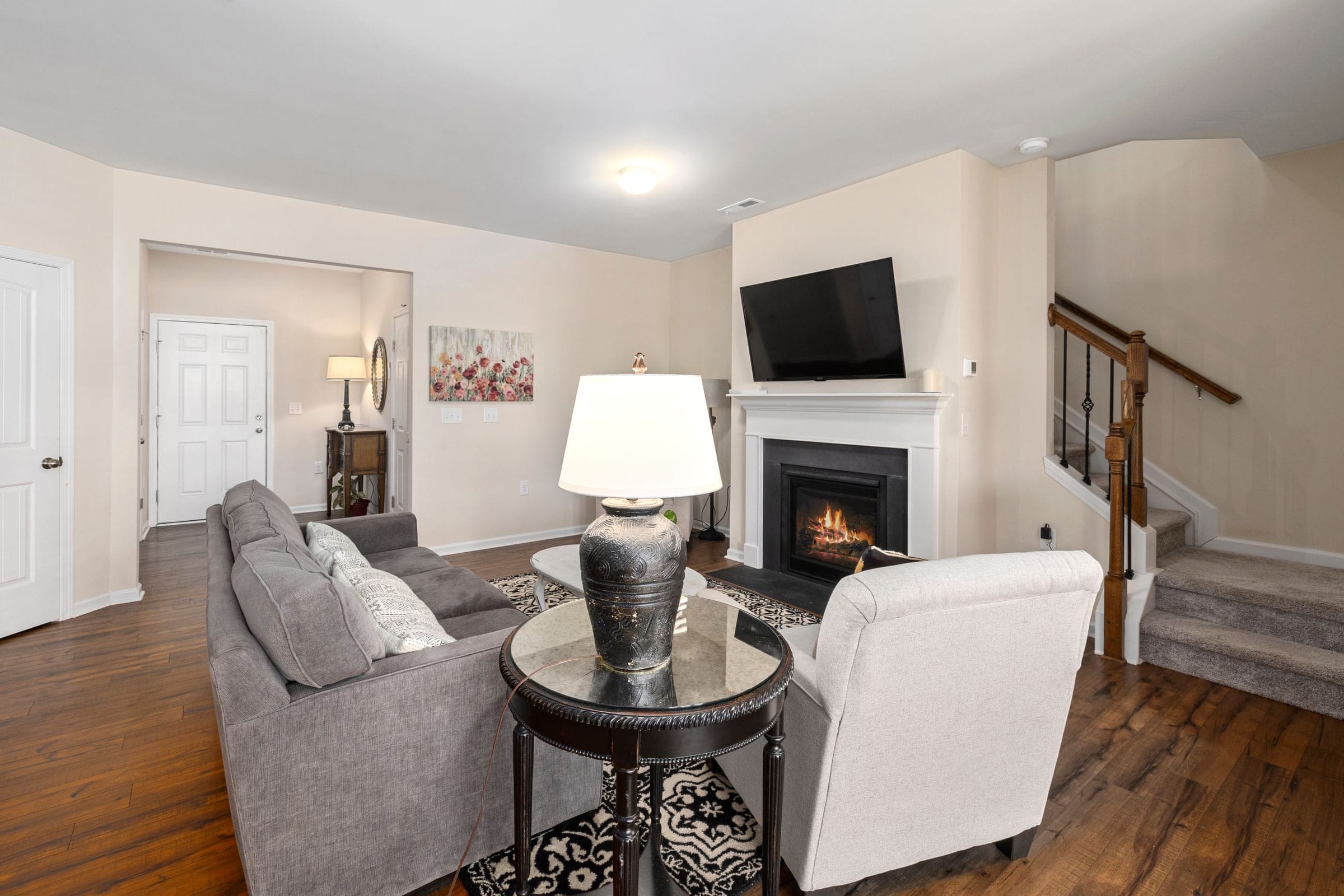
How do you watch live TV with Starlink?
Three ways, checked Nov 3, 2026: a live-TV streaming app such as YouTube TV ($82.99/mo for the main plan that day), an antenna for local stations with no monthly fee, or a DISH or DIRECTV satellite package kept beside the Starlink dish. Starlink itself sells no channels, so TV is a separate choice, and many homes mix an antenna with one app.
Starlink doesn’t publish any TV offer: we searched its US help center for TV, DISH, DIRECTV, YouTube TV, IPTV and more on Nov 3, 2026, and no article sells a channel package. So TV is a separate decision. Pick one route, or mix two, such as an antenna for local news plus one streaming service.
| Route | What you get | Cost, as listed | Uses the internet? | The catch |
|---|---|---|---|---|
| Live-TV streaming service | Cable-style channels, cloud DVR, apps on every TV | YouTube TV main plan $82.99/mo; Sling Orange $45.99/mo plus taxes; Philo Essential $25/mo | Yes, every minute | Local channels follow your location, and Starlink says its IP location can be several states off |
| Antenna | Local broadcast stations whose towers reach you (ABC, CBS, NBC, FOX, PBS) | No monthly fee; one-time antenna cost | No | Needs a clear line to the towers; no cable networks |
| Keep DISH | Your current lineup on DISH’s own dish | America’s Top 120 $94.99/mo, locked for 2 years, then $107.99/mo | No | Two-dish roof; $20 early termination fee for each month left |
| Keep DIRECTV satellite | Your current lineup on DIRECTV’s dish | ENTERTAINMENT $104.99/mo with the required TV Access Fee | No | 24-month agreement; early termination fee up to $480 |
Can a live-TV app replace cable on Starlink?
For most homes, yes. Checked Nov 3, 2026, YouTube TV asked for 13 Mbps for reliable HD and 25 Mbps for 4K, while Starlink expects 80–100 Mbps download, with 15–35 Mbps upload, expected on Residential 100 Mbps. Speed is rarely the catch; local channels are, because some apps place you by IP address and Starlink’s can sit states away.
These are cable packages sold as apps: YouTube TV, Hulu + Live TV, Sling, Fubo, DIRECTV’s streaming service and Philo. You sign up with the TV company, install its app, and watch over Starlink like any other connection.
Speed is rarely the problem. YouTube TV asks for 13 Mbps to stream HD reliably with other devices on the network and 25 Mbps for 4K. Hulu suggests 8 Mbps for live TV. Starlink lists 80–100 Mbps download, with 15–35 Mbps upload, expected on Residential 100 Mbps; that’s an expectation, not a promise. Our arithmetic: even two 4K streams at YouTube TV’s figure add up to 50 Mbps.
Data isn’t a worry on a home plan: Starlink says all Residential plans include unlimited data, and it estimates HD video at about 3 GB per hour (more on the streaming data page).
The weak spot is local channels. These services pick your TV market from your ZIP code, your device’s location or your IP address, and Starlink says its IP location can be several states away from your real location. Our reading: an app that goes by IP address can show another city’s ABC or FOX, so a family in Texas Hill Country could get a different market’s news. See the local channels fixes and the live TV services comparison.
Route 2: an antenna for local channels
An antenna is the old answer and still a good one: stations reach it straight from their towers, and NEXTGEN TV’s FAQ says over-the-air TV does not require an internet connection, so local news keeps playing when a storm makes the Starlink dish drop. Reception depends on terrain: AntennaWeb, the Consumer Technology Association’s antenna site, says it relies on “a clear, unobstructed line of sight between the antenna and the local towers.” A hollow in Appalachia can rule it out; a farm in the rural Midwest may need nothing else for network TV.
The newer standard, NEXTGEN TV (ATSC 3.0), says its stations reach over 75% of US viewing households, but it needs a TV (or receiver) with NEXTGEN built in plus an antenna, not an app. An antenna gives you no cable networks and no DVR without a tuner box, so it pairs well with a cheaper streaming service. Philo, for one, carries no local channels and suggests an antenna.
Route 3: keep DISH or DIRECTV and add Starlink internet
If you like your lineup and your DVR, nothing forces a change. Satellite TV comes down through its own dish, separate from the internet, so DISH or DIRECTV keeps working with Starlink as the household’s internet. The cost is two bills, at the prices in the table above.
Two dishes can share a roof. A DISH or DIRECTV dish needs open sky to the south (DIRECTV’s words), and Starlink needs its own patch of open sky too. DISH’s only placement rule: “Place your Starlink dish at least 10-20ft from your DISH tv antenna.” On Starlink’s obstruction map the geostationary belt shows as a clear band: Starlink doesn’t transmit through that band, so it stays clear of the geostationary satellites TV dishes point at. Our DISH and DIRECTV pages cover contracts and fees.
Getting the apps onto your TV
The major live-TV services have apps for the main platforms, and the brand matters less than where the device sits on your network.
- Roku and Amazon Fire TV: sticks, plus TVs with the system built in.
- Apple TV: Apple’s set-top box, a natural fit for iPhone households.
- Google TV: built into many TVs and on Google’s own streaming device.
- Smart-TV apps (Samsung, LG, Vizio): check your live-TV service lists your model before you skip a streaming device.
Starlink says brick, stone, mirrors or several walls can lower coverage: add mesh nodes or use a wired connection. If the TV sits two rooms and a stone fireplace from the router, a cable to the streaming box is the cheapest fix for buffering.
What does cutting the cord cost with Starlink?
Cutting the cord trades a TV bill for an internet bill plus streaming. Before any address goes in, Starlink’s national list (pulled Nov 3, 2026) puts $49.50/mo on Residential 100 Mbps, $76.50/mo on the 200 Mbps tier and $143/mo on Max. Real homes can come out elsewhere: its order data has carried other levels since Oct 29, 2026 (100 Mbps $44–$55/mo, 200 Mbps $68–$85/mo, Max $104–$156/mo), and Starlink never says which one a given home will see. Starlink’s help center sends you to starlink.com: type the address, press Order Now, and the kit and monthly price for that home appear.
Against that, a streaming service replaces the TV package, an antenna may cover the locals, and any DSL or old satellite internet bill goes. The TV bill calculator runs it with your own bills; the live sports guide covers channels that cost extra.
Every TV guide on this site
- Live TV services: six services side by side.
- Local channels: wrong-city fixes and antennas.
- Live sports: Sunday Ticket, ESPN, regional sports.
- Starlink and DISH and Starlink vs DIRECTV: keep the dish or stream.
- Streaming speed and data: Mbps and GB per hour.
- TV bill calculator: your bills now vs Starlink plus streaming.
What streaming TV over Starlink can’t promise
- When the dish drops, streaming TV drops. Starlink says rain, snow or hail at the heavier end can interrupt service for a moment. An antenna doesn’t depend on it; DISH says branches, debris or snow can block its own signal too.
- Evenings are busier. Residential Max outranks the 100 and 200 Mbps Residential tiers, so homes on those two are likelier to slow down on a congested network.
- Local channels can be wrong. Starlink says its IP geolocation can be several states from your home, and some live-TV apps pick locals by IP address.
- Live streams run behind the broadcast. YouTube TV says live streams have a broadcast delay and lets you lower it. A neighbor on an antenna may see the touchdown before you do.
Sit this one out if…
- you already have cable or fiber internet at your address: every streaming route on this page runs over it, with no new dish on the roof
- local news and network shows are most of what you watch, and an antenna pulls them in clearly: you may not need new internet for TV at all
- you’re early in a DISH or DIRECTV agreement: price the early termination fee first (DISH charges $20 for each month left; DIRECTV up to $480)
- your must-watch is a pro team on a regional sports channel: confirm a streaming service carries it at your ZIP before you change anything
- you don’t yet know whether streaming can replace your TV: check your sky, your locals and your channel lineup before ordering, because Starlink’s referral terms expect customers who mean to keep it
What gamers and cord-cutters ask
Does Starlink have TV service?
No. Starlink sells internet. Its US help center describes no TV service, no channel lineup and no TV bundle (we searched it on Nov 3, 2026). You add TV yourself: a live-TV streaming app, an antenna, or a satellite TV package you keep.
Does Starlink offer TV and internet packages?
Not from Starlink. DISH sells and installs Starlink internet, but DISH’s own Starlink page says: “At this time we do not offer a Starlink bundle for DISH or Boost Mobile.” TV and internet stay two separate bills.
Can you watch TV with Starlink?
Yes. Starlink says its service supports streaming, so live-TV apps such as YouTube TV, Hulu + Live TV, Sling and Fubo run over it, with most cable networks and a cloud DVR. An antenna or a satellite TV dish works beside it without using the internet. Compare the apps on our live TV services page.
Can I watch TV on Starlink without a monthly TV bill?
An antenna picks up local broadcast stations with no subscription and no internet, if the towers reach your house. Some ad-supported apps need no subscription either; we haven’t checked their lineups. Avoid IPTV boxes that sell hundreds of channels for a few dollars: they are usually unlicensed.
How do I connect my TV to Starlink Wi-Fi?
Like any Wi-Fi: open the network settings on the TV or streaming device, pick your Starlink network and enter the password. For the steadiest picture, run an Ethernet cable from the router. Starlink says the Router 3 has a WAN port and two LAN Ethernet ports under a rubber cover, and the Router Mini has two Ethernet ports: one WAN and one LAN.
Receipts for the numbers above
- Starlink help-center search (US) (looked up Nov 3, 2026)
- Starlink support: what Starlink is (looked up Nov 3, 2026)
- DISH: Starlink sold through DISH (looked up Nov 3, 2026)
- YouTube TV: plans page (looked up Nov 3, 2026)
- Sling TV: plans (looked up Nov 3, 2026)
- Philo: home page and FAQ (looked up Nov 3, 2026)
- Philo Help: local channels (looked up Nov 3, 2026)
- DISH: TV packages (looked up Nov 3, 2026)
- DIRECTV: satellite packages (looked up Nov 3, 2026)
- DIRECTV: satellite offer terms (looked up Nov 3, 2026)
- YouTube TV Help: streaming problems (looked up Nov 3, 2026)
- Hulu Help: speed advice (looked up Nov 3, 2026)
- Starlink US Specifications (legal doc) (looked up Nov 3, 2026)
- Starlink support: Residential plan list (looked up Nov 3, 2026)
- Starlink support: data use tips (looked up Nov 3, 2026)
- Starlink support: wrong IP location (looked up Nov 3, 2026)
- NEXTGEN TV: home page (looked up Nov 3, 2026)
- NEXTGEN TV: FAQ (looked up Nov 3, 2026)
- AntennaWeb: antenna lookup (looked up Nov 3, 2026)
- DISH: signal loss help (looked up Nov 3, 2026)
- DIRECTV: dish installation (looked up Nov 3, 2026)
- Starlink support: reading the obstruction map (looked up Nov 3, 2026)
- Starlink support: Mesh Wi-Fi (looked up Nov 3, 2026)
- Starlink support: router Ethernet ports (looked up Nov 3, 2026)
- Starlink order data: US Residential plans (looked up Nov 3, 2026)
- Starlink support: Residential plans (looked up Nov 3, 2026)
- Starlink support: what it costs (looked up Nov 3, 2026)
- Starlink support: weather and service (looked up Nov 3, 2026)
- Starlink US service plan descriptions (looked up Nov 3, 2026)
Every figure keeps the date we last looked it up; our fact rules say how. When one turns out wrong or stale, the fix is dated on the corrections page.